
11 min read · Updated 1 October 2026
How much access should you give an AI agent? Give it the least access that finishes one defined job, for the shortest time that job runs, with a person in front of anything that cannot be undone.
Writing that rule down takes a minute. Following it is harder, because the narrow version of a permission keeps interrupting you and the wide version does not.
On 1 October 2026 I connected an AI agent to a live WordPress site I run. The job was publishing blog posts. I signed in as user ID 1, the administrator account, and the connection inherited every capability that account has. The mistake took under ten minutes to make. I only caught it because the agent listed back what it could reach, and the list was considerably longer than publishing.
The short answer
- The right level of access is the smallest one that completes a single, clearly defined task.
- Most over-permissioning is accidental. It happens at a login screen, not in a decision.
- Start read-only. Grant write access after the agent has shown it does the job correctly.
- Put a human approval step in front of anything irreversible: deleting, sending, spending, or publishing.
- A permission you granted once and never looked at again is the one most likely to hurt you.
What this covers
- How much access should you give an AI agent?
- What goes wrong when an agent has too much access
- What least privilege looks like on a real system
- What admin rights actually hand over
- How to scope permissions, step by step
- Why MCP connectors make this easy to get wrong
- What to do if you already connected one as admin
- Frequently asked questions
How Much Access Should You Give an AI Agent?
Give an AI agent the narrowest permission set that still completes one defined job. Every permission beyond that is pure downside, because it adds risk without adding capability you asked for.
Most people approach this by asking whether a tool is safe. That question has no useful answer and never did. A better one: if this agent misreads the task, runs at full speed, and nobody checks for four hours, what is the worst thing it can touch? Write the answer in a single sentence. If money, customers, or deletion appear in that sentence, the access is too wide and needs shrinking before you grant it.
Security agencies have landed in the same place. In Careful Adoption of Agentic AI Services, published on 1 May 2026, CISA, the NSA and their Five Eyes partners named privilege creep as one of five primary risk categories for agent deployments, and told organisations never to grant agents broad access. Regulators are moving the same way, which I covered in how legal AI entered its governance phase.
What Goes Wrong When an AI Agent Has Too Much Access?
When an AI agent holds more access than its job needs, every spare permission becomes a route an attacker can use through the agent. The agent does not have to be malicious. It only has to be convinced.
The gap between how organisations treat agents and how they treat people is wide. Nearly two thirds apply weaker security controls to AI agents than to human employees, according to Okta’s 2026 agentic enterprise research. A human contractor with that much reach would at least have signed something.
The agent does not have to be malicious. It only has to be convinced.
Attackers noticed first. Palo Alto Networks describes the compromised agent as an autonomous insider, and projects environments where agents outnumber humans by 82 to 1. In September 2026 Cisco documented the first AI malware that needs no human operator at all. The speed of that shift is something I wrote about in AI is changing cyberattacks faster than defences are changing.
Scale matters here. Gartner expects 40 percent of net-new enterprise applications to include agentic capability by the end of 2026, up from under 5 percent in 2025. Most of those permissions will be granted by someone in a hurry.
What Does Least Privilege Look Like on a Real System?
Least privilege for an AI agent means picking the lowest account role that still completes the task, then checking what that role can reach. On WordPress, where I made my own mistake, the ladder is concrete.
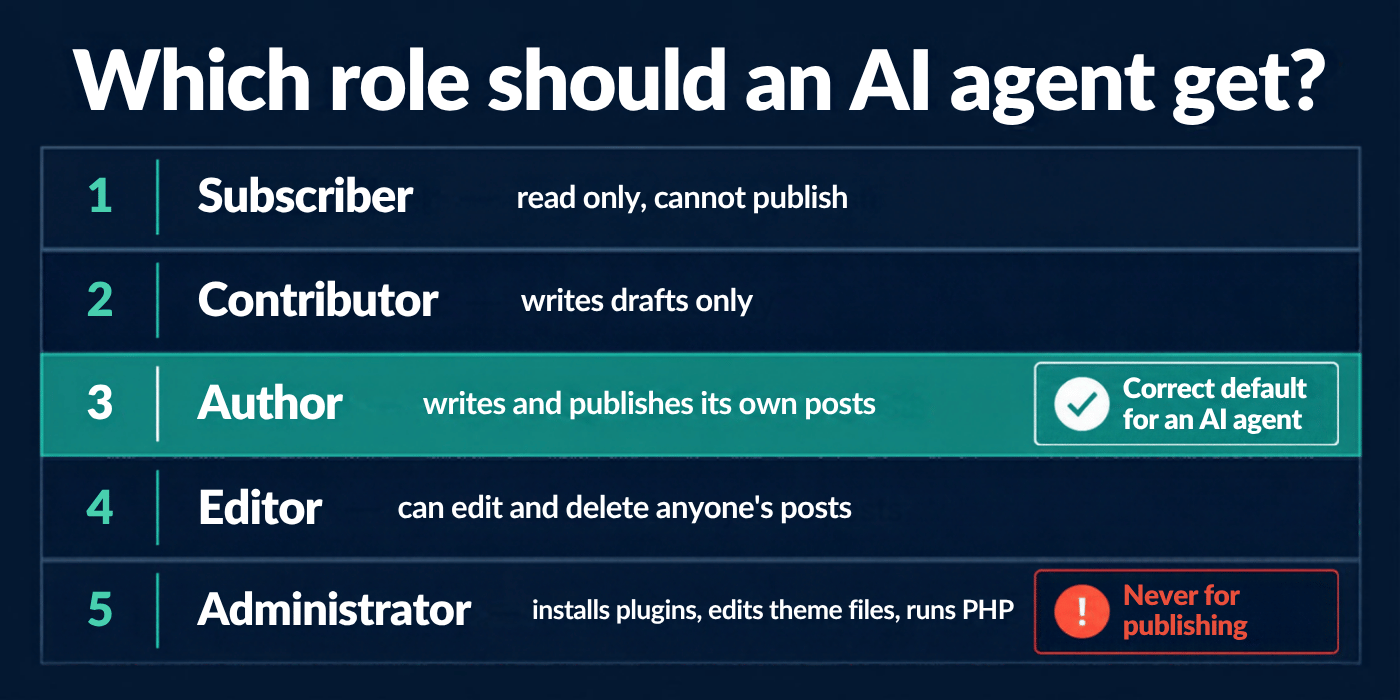
| Role | What the agent can do | Right for a publishing agent? |
|---|---|---|
| Subscriber | Read content. No changes of any kind. | No. It cannot publish. |
| Contributor | Write drafts. Cannot publish or upload media. | Yes, if a person approves every post. |
| Author | Write, publish and delete its own posts. Upload media. | Yes. The correct default. |
| Editor | Edit and delete anyone’s posts and pages. | Only with a stated reason. |
| Administrator | Install plugins, edit theme files, run PHP, manage users. | No. Never for publishing. |
Your systems will have their own version of this ladder. The work is the same: find the role names, read what each one permits, and pick the lowest that finishes the job.
What Could the Agent Actually Do With Admin Rights?
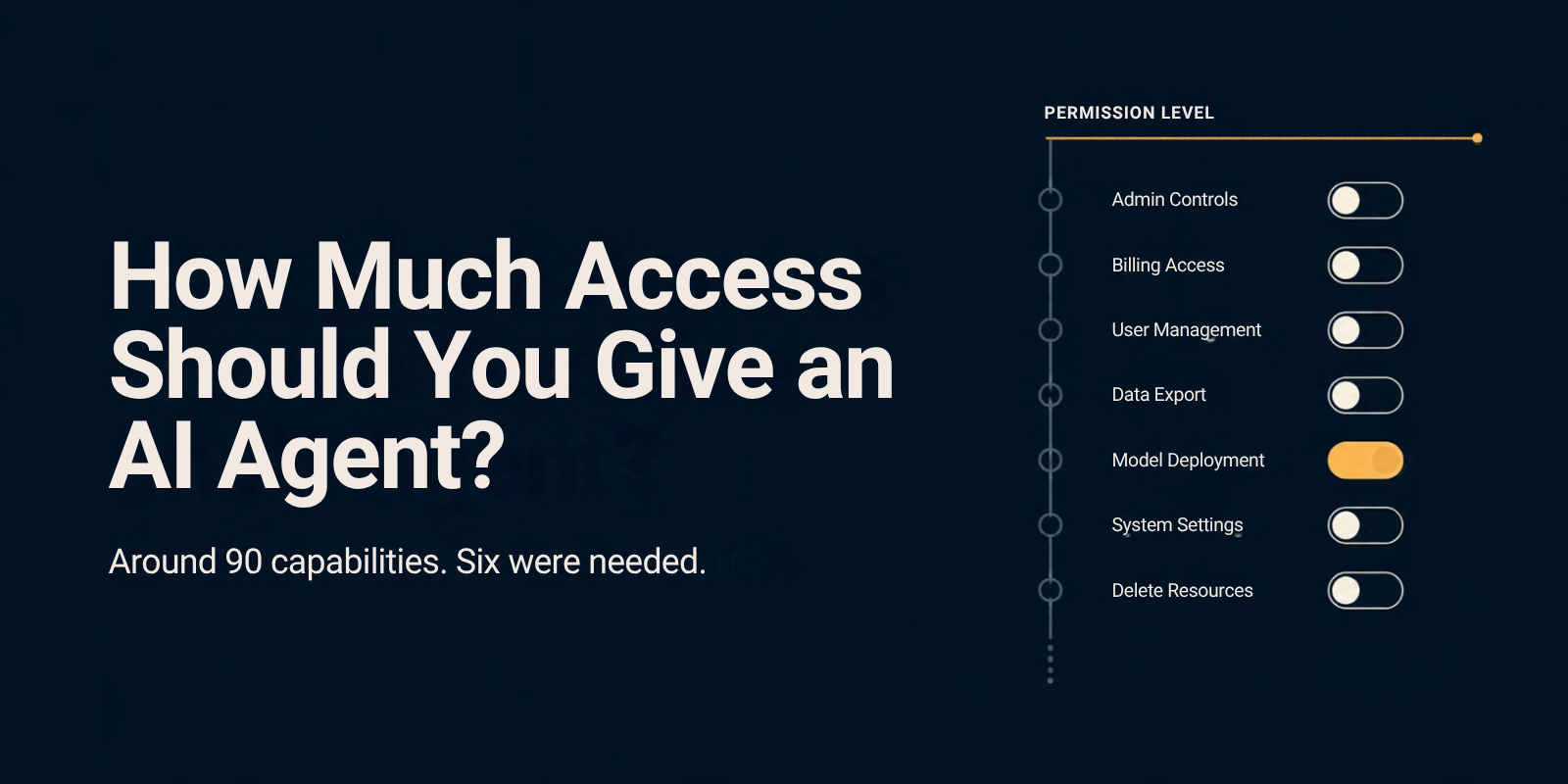
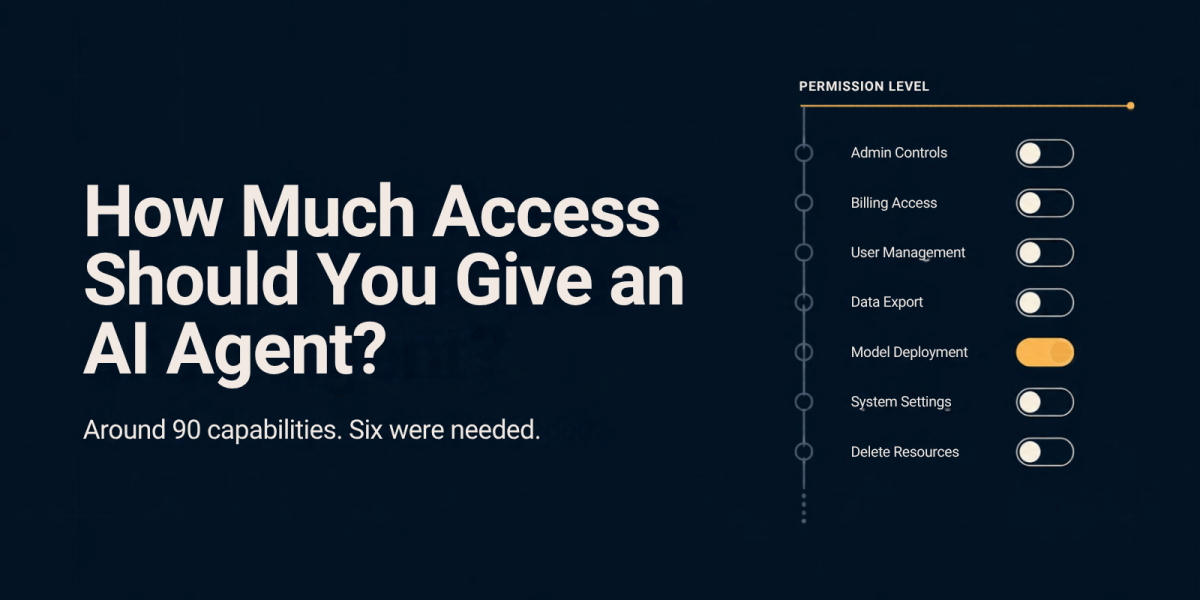
With administrator rights the agent on my site could reach around 90 separate capabilities. Publishing a blog post needs about six of them.
I asked it to list what it had. Worth reading slowly, because this is the part that usually stays abstract:
- Create PHP code snippets that run on the site. Saved inactive, but the code gets written.
- Read the site’s full user list, including every email address.
- Rewrite site-wide SEO settings: robots directives, canonical behaviour, sitemap rules, the homepage title.
- Edit the theme’s block templates, which is the structure of every page at once.
- Delete any post or page on the site, including ones other people wrote.
- Purge the entire site cache.
None of that is a flaw in the connector. The permissions are enforced properly against the WordPress role, which is the system working exactly as designed. The flaw was the role I handed it.
This is the gap between reading advice about least privilege and seeing the list. An abstract warning about broad access does not land. Ninety capabilities where six were needed does.
Should an AI Agent Get Write Access?
Start every AI agent read-only. Grant write access only after the agent has done the job correctly on data you can afford to lose.
A surprising share of work is read work. Summarising, analysing, drafting and reporting all run fine without the ability to change anything. Tools request write permission by default anyway, because the default is built for convenience rather than for you.
The line that matters is reversibility. An agent that creates a draft has done something you can delete in one click. An agent that sends to a mailing list has done something you cannot take back. Those two deserve different answers, and most permission screens treat them identically.
How Do You Scope an AI Agent’s Permissions Step by Step?
Work through six steps before the agent touches anything live. The whole pass takes under an hour for a small business.
- Write the job in one sentence. If it needs the word “and” twice, it is two agents, not one.
- Name the blast radius. What is the damage if the agent runs wrong, fast, and unwatched for an afternoon?
- Create a dedicated account before you open the connection screen. Doing it after means reconnecting.
- Pick the lowest role that finishes the job, then ask the agent to list its own capabilities and read that list rather than trusting the role name.
- Test against a copy. Last quarter’s data, a duplicate folder, a staging site. Behaving badly should cost nothing the first time.
- Put the review in your calendar. Quarterly, thirty minutes, walk the list again. Permissions accumulate quietly.
Why Do MCP Connectors Make This Easy to Get Wrong?
MCP connectors hide the permission decision inside an ordinary login screen. You sign in as yourself, and whichever account you used silently becomes the ceiling on everything the agent can do afterwards.
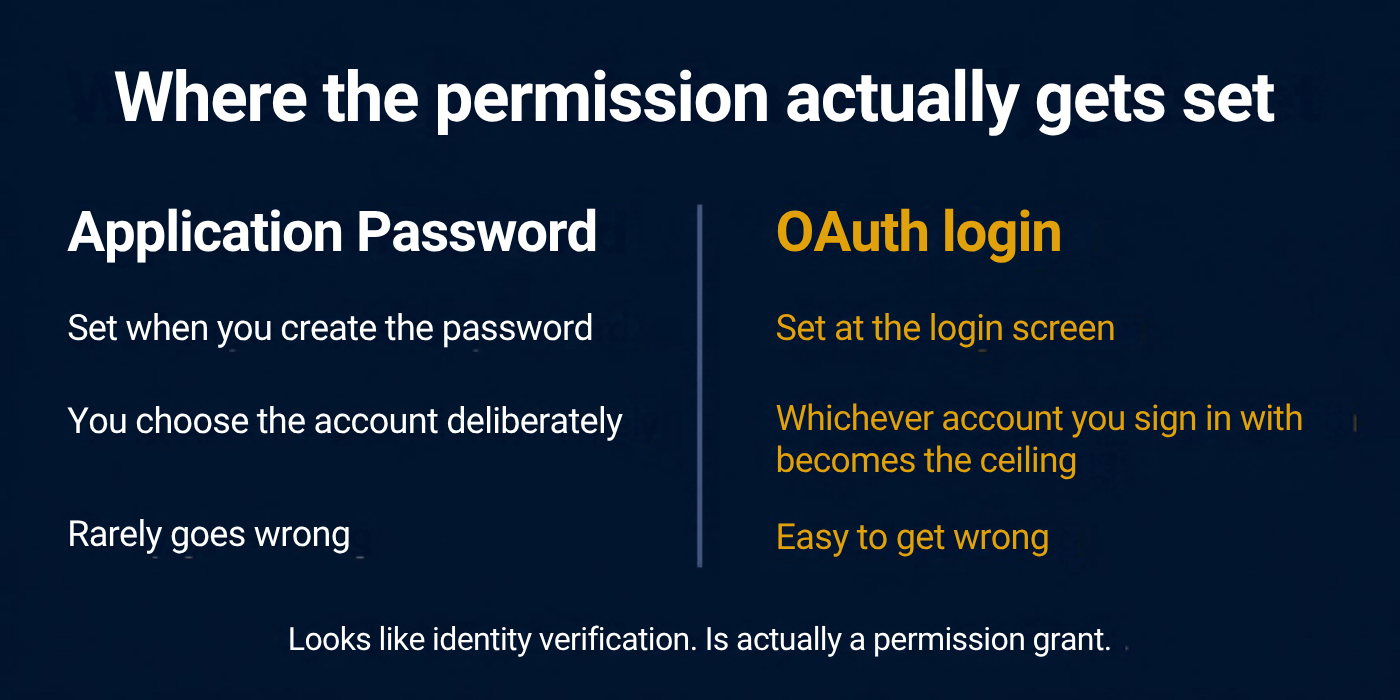
This is what caught me. Model Context Protocol is the standard plumbing that lets an AI assistant talk to your other software, and the well-built connectors do enforce real permissions. The one I used checks every action against the WordPress role of whoever authorised it, which is exactly right. The flaw was mine. The screen asked me to log in and I logged in the way I always do, as the administrator, without registering that the choice was a security decision rather than a formality.
Older integrations made you paste an API key, which at least felt like handing over something. A login box feels like proving who you are. It is doing considerably more than that.
| Method | Where the permission is set | How it goes wrong |
|---|---|---|
| Application Password | When you create the password, on a user you picked deliberately | Rarely. Creating the password forces you to choose an account first |
| OAuth login | At the login screen, by whichever account you authenticate with | Easily. The screen looks like identity verification, not a permission grant |
If you have read guidance telling you to create a dedicated user and generate a password for it, that advice is right, and it does not describe the screen you are actually looking at when you connect through a login flow. Treat the authorisation screen as the moment the permissions are set, because it is. Log in as the restricted account, not as yourself.
How Do You Check What Access Your AI Agents Already Have?
Open the connected-apps settings on each system you care about and list every AI tool with access. Most people find at least one they had forgotten.
Check your email, file storage, calendar, CRM and website admin. For each connection, note which account it authenticated as and what that account can do. Revoke anything you are not actively using. That step costs nothing and removes more risk than any other item here.
Then look at logs rather than settings. Settings tell you what is permitted. Logs tell you what happened. Look for bulk changes, activity at odd hours, and records modified with no matching human login. If a system keeps no audit trail, that gap is the first thing to close.
What If You Already Connected One as Admin?
Fix it in roughly five minutes, and do not panic first. An over-permissioned agent is a risk you are carrying, not damage you have already taken.
- Read the activity log first. You want to know what happened while the access was wide, and revoking first makes that harder to reconstruct.
- Create the restricted account with the lowest role that does the job.
- Remove the existing connection rather than editing it. Permissions were fixed at authorisation and will not narrow on their own.
- Reconnect as the new account. Check the connection reports that account and not yours.
- Ask the agent to list what it can now do. If the list is still long, the role is still too high.
One thing not to do: leave it because nothing went wrong. Nothing going wrong is the normal state of an over-permissioned account right up until the moment it is not. The harder question sits downstream, in who owns the mistake when AI drafts the first version.
The Honest Version
I fixed my own setup after writing this. The agent now runs as an author account and cannot write a line of PHP. Nothing bad happened in the window where it could have, which makes me lucky rather than careful, and those are different things.
The reason this is worth your attention is not that agents are dangerous. It is that the cost of doing it properly arrives immediately, in the form of friction, and the cost of doing it badly arrives later and quietly. People reliably choose the second one. Enterprise buyers are making the same call with far more at stake, which is the pattern behind why JP Morgan put limits on Claude across its enterprise.
You already know how to do this. You have scoped access for people your whole working life. The only new part is applying it to software that acts on its own.
Frequently Asked Questions
How much access should you give an AI agent?
Give an AI agent the least access that completes one defined job, for the shortest time it needs. Keep a human approval step in front of anything irreversible, such as deleting records, sending to customers, spending money, or publishing publicly. Review every permission you grant at least once a quarter.
What is privilege creep in AI agents?
Privilege creep is an agent holding or using permissions beyond what its task requires. CISA and its Five Eyes partners named it one of five primary risk categories for agentic deployments in May 2026. It usually builds up through convenience, when someone widens access to stop approval prompts and never narrows it again.
Should an AI agent have admin rights?
Almost never. Admin rights let an agent change the system itself rather than only the content inside it. On a website that means plugins, theme files and user accounts. If the job is publishing or reporting, a lower role finishes it. Admin access only makes sense when administration is genuinely the task.
Is it safe to let an AI agent make changes to my website?
It is reasonably safe when the agent authenticates as a restricted account rather than your own. The risk is rarely the connection itself. It is the account you log in with during setup, which becomes the ceiling on everything the agent can do afterwards. Create the limited account before you connect.
How do I know if an AI agent did something wrong?
Check the audit logs of the connected system rather than the AI tool. Look for bulk edits, activity outside working hours, and records changed with no matching human login. If the system keeps no audit trail, you cannot answer this question, and closing that gap should come before you grant any further access.
Can different AI agents have different permissions on the same site?
Yes, and they should. Give each agent its own account and its own role, matched to its job. A publishing agent and a reporting agent need different things, and separate accounts also mean the activity log tells you which agent did what. Shared credentials remove that answer entirely.
Does restricting AI agent permissions slow the work down?
A little, at setup. Creating a dedicated account and picking a role adds a few minutes once. After that the agent runs at the same speed inside a smaller boundary. The friction people complain about comes from approval prompts, which you can limit to irreversible actions rather than everything.
Related reading: what happens when AI agents buy on your customer’s behalf